Your reading,
remembered
AfterWord pulls in your highlights and notes from every reading app — then resurfaces them when you actually need them.

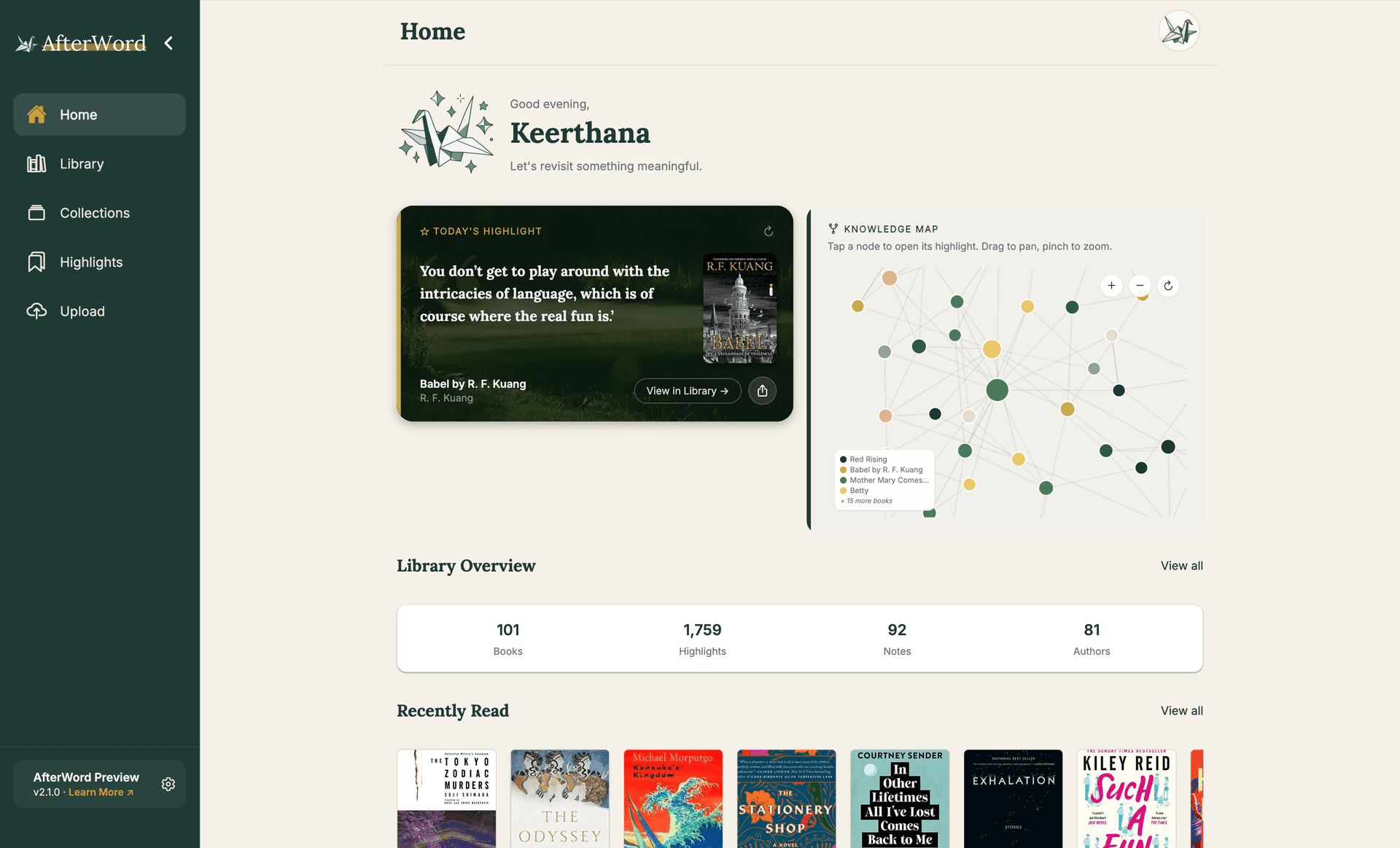
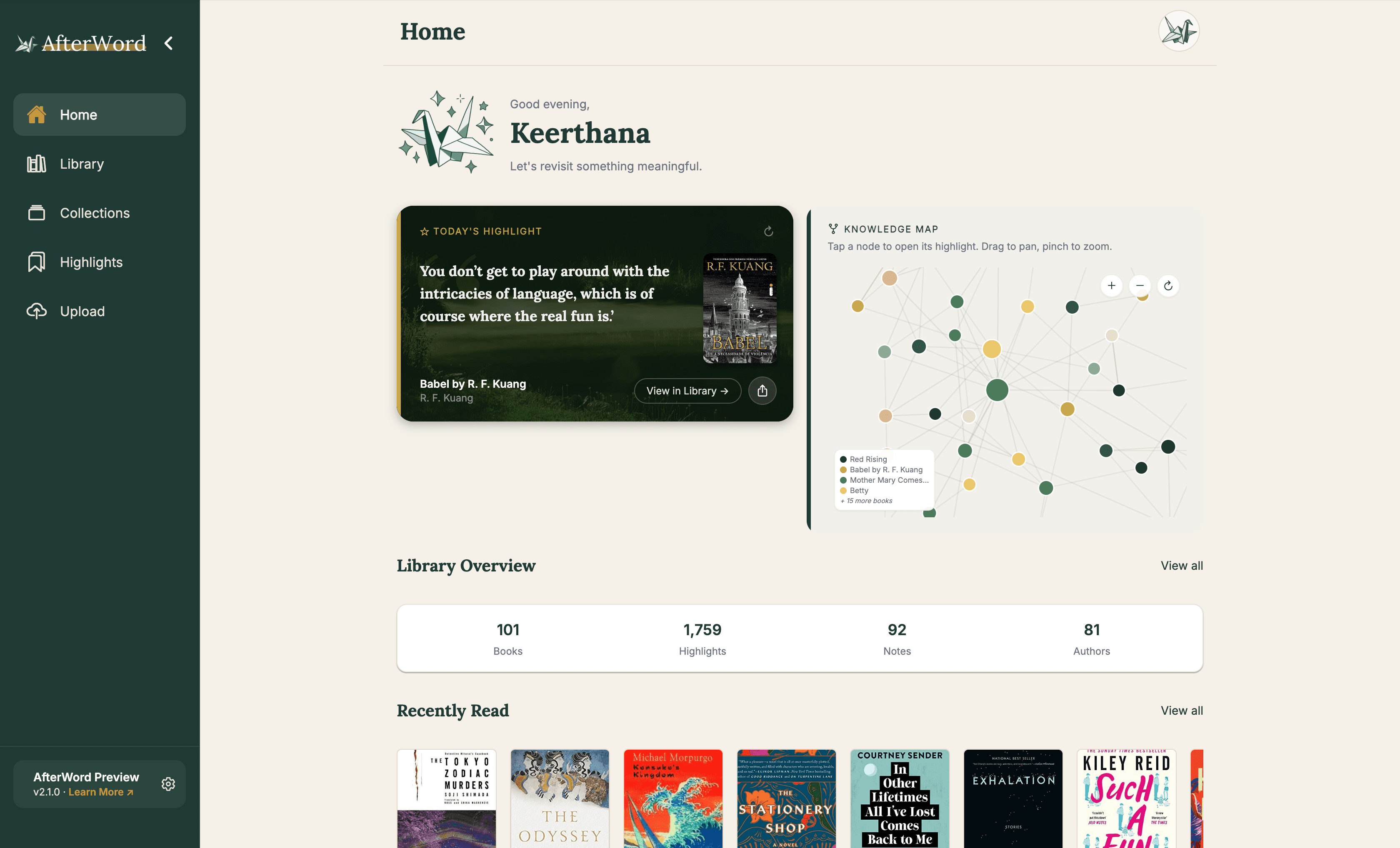
"You don't get to play around with the intricacies of language, which is of course where the real fun is."
Babel
R. F. Kuang
Ideas across 96 books mapped by semantic similarity.
"You don't get to play around with the intricacies of language — which is of course where the real fun is."
Babel · R. F. Kuang
Library Overview
96
Books
1,000
Highlights
92
Notes
77
Authors
Found across 4 books
Semantic search across your entire library
Your best ideas are trapped inside your books. You highlighted it. You just can't find it anymore.
Every year you collect hundreds of highlights across Kindle, PDFs, borrowed library books, and notes apps — each locked in its own silo, with no way to search across all of them at once.
The result: a Notion graveyard of decontextualised quotes, Kindle exports rotting in a downloads folder, and the slow realisation that most of what you read has simply vanished from memory.
Where highlights go to die

"You don't get to play around with the intricacies of language…"
Babel — R. F. Kuang · found instantly
unified
Never lose your highlights again.
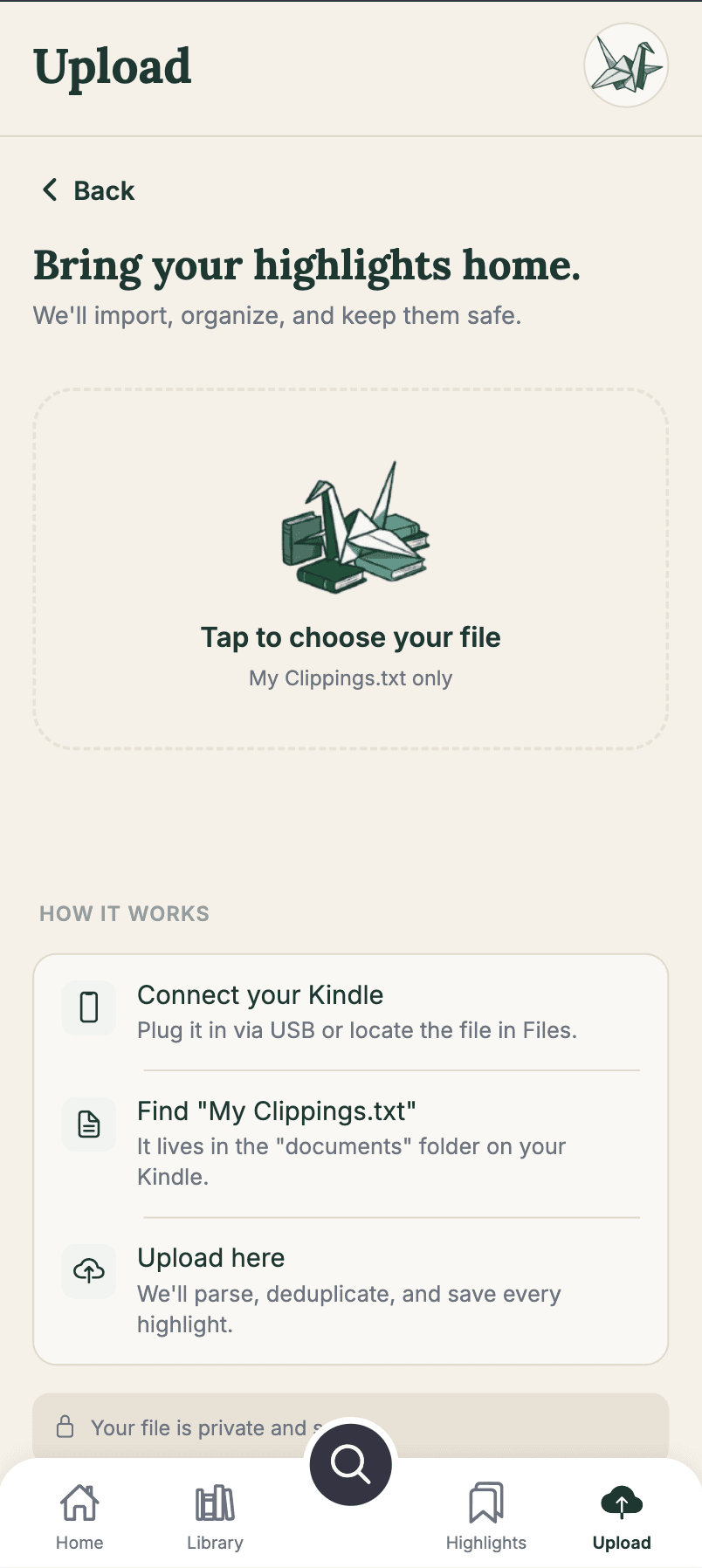
Ingest


Everything you've read, in one place.
Upload Kindle highlights, Readwise exports, PDFs, and hand-typed notes. AfterWord parses and structures everything automatically.
Never lose your highlights again.

Ingest
Everything you've read, in one place.
Upload Kindle highlights, Readwise exports, PDFs, and hand-typed notes. AfterWord parses and structures everything automatically.

Remember
Find any idea in seconds.
Semantic search understands what you mean, not just what you typed. Ask a question — AfterWord finds the passage, the book, and the context.

Reflect
Rediscover what you already know.
AfterWord resurfaces relevant highlights when you're reading something new, connecting ideas across books and months.
Built for the long-term reader.
Semantic Search
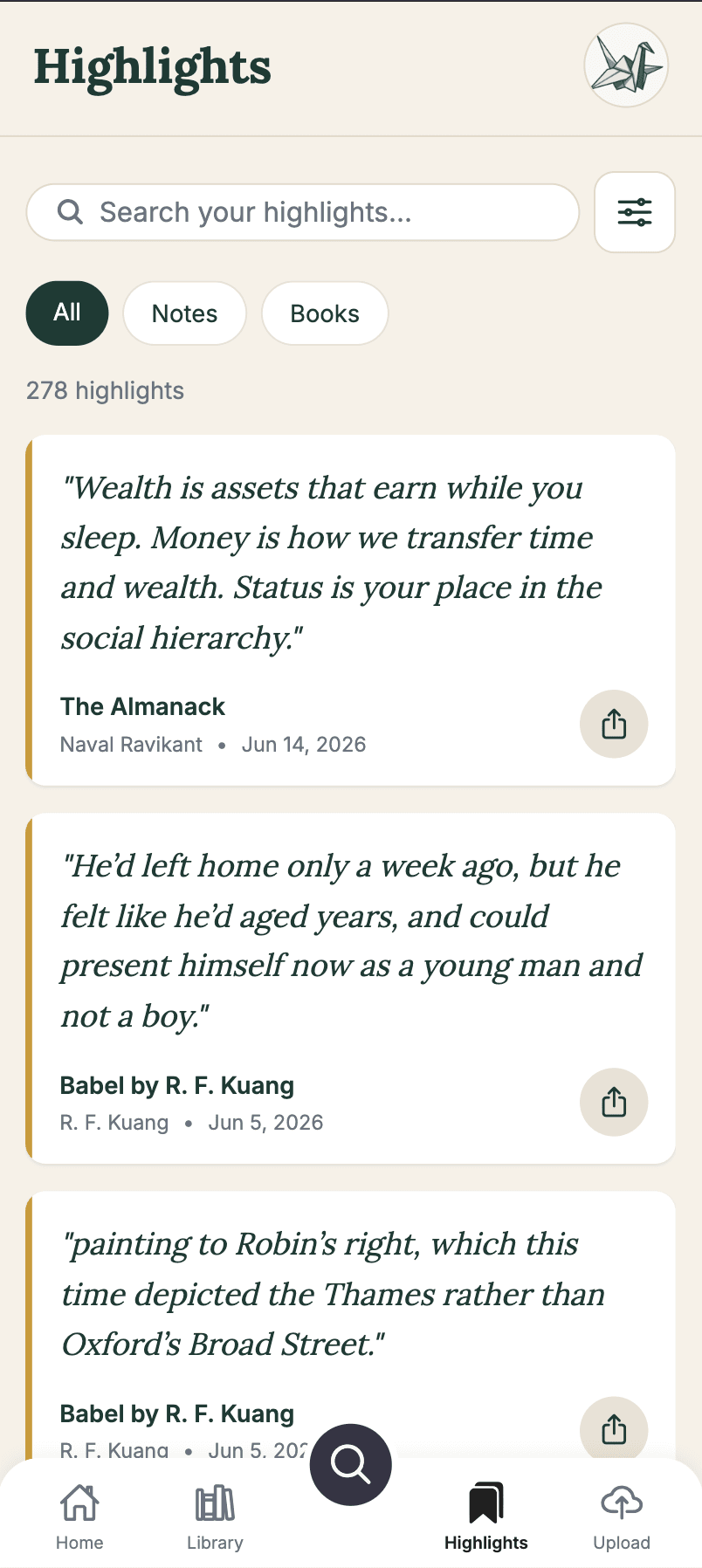
Search by meaning, not exact words. Ask a question the way you'd think it — AfterWord finds the passage, the book, and the context.
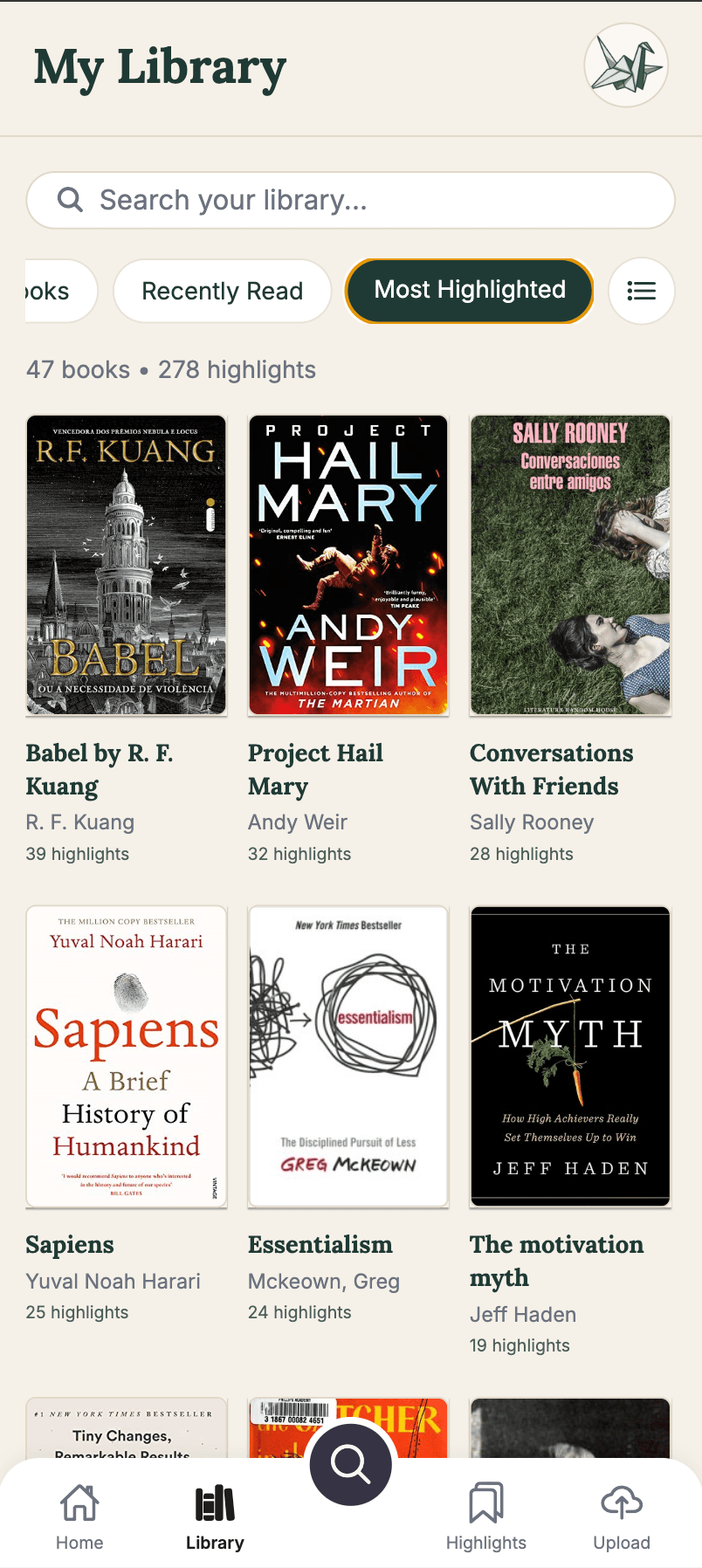
Unified Library
Import Kindle highlights into a single, searchable home. Every book, quote, and note — organized without any manual sorting.
Book Edition Matching
Imported books are matched to the correct ISBN and edition automatically, so your library metadata stays clean.
Knowledge Graph
See how ideas connect across your entire reading history. Surface the thread running through books you read years apart.
Reading Analytics
SoonUnderstand your reading habits, favorite topics, and how your interests shift over time.
More Platforms
SoonImport highlights from Libby, Apple Books, Kobo, and more reading ecosystems as they're added.
Your entire library, fits in your pocket.
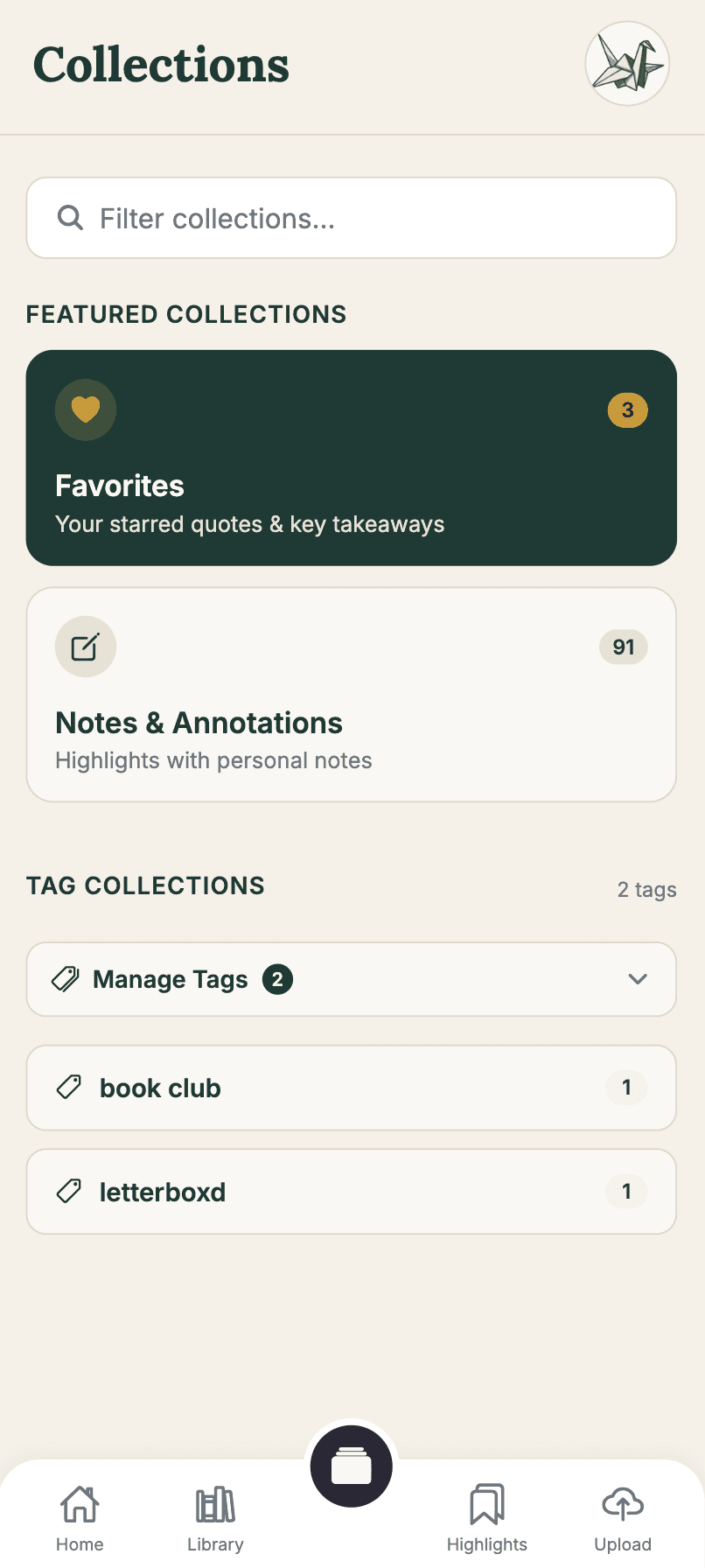
Web and mobile. Your library travels with you.


Your Library

Your Library

Search View

Highlights View

Upload View

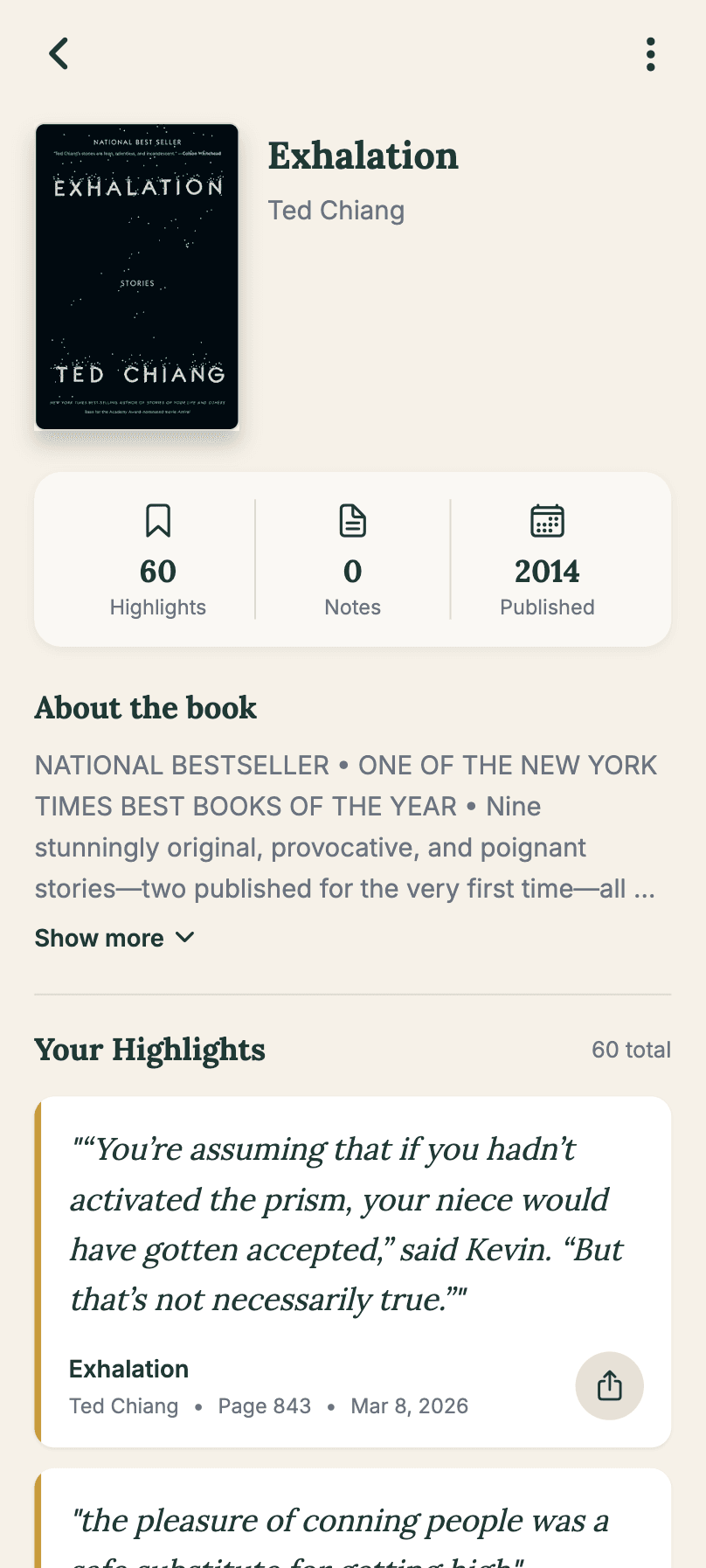
Book View

Keerthana Vegesna
Founder & Solo Developer
"I read across a lot of formats, AfterWord helps me collate everything in one place."
Where my reading was scattered
Built with: FastAPI · PostgreSQL · pgvector · Supabase · React · Expo

from 3 sources
The Kindle annotation UI buries your highlights three taps deep, exports them as a plain-text file with no structure, and gives you no way to search across books. Libby borrows expire and take your notes with them. My Notion was a graveyard of copy-pasted quotes with no context.
AfterWord started as a script to parse my Kindle exports. It's now the single place where everything I've ever highlighted lives — searchable, tagged, and actually retrievable.
Your highlights deserve to be remembered.
AfterWord is in private beta. Join the waitlist for early access, founding-member pricing, and a direct say in what gets built next.
What you get
Built by a reader, for readers.
No credit card · No spam · Unsubscribe any time